Fall Detection: Apple Watch vs Life Alert
Mom fell in the bathroom on a Tuesday. Erin found out from a Watch.
Affiliate links: if you buy through them, Tiina may earn a small commission at no extra cost to you. As an Amazon Associate I earn from qualifying purchases. Tiina is a Moen affiliate through Fortune Brands Innovation.
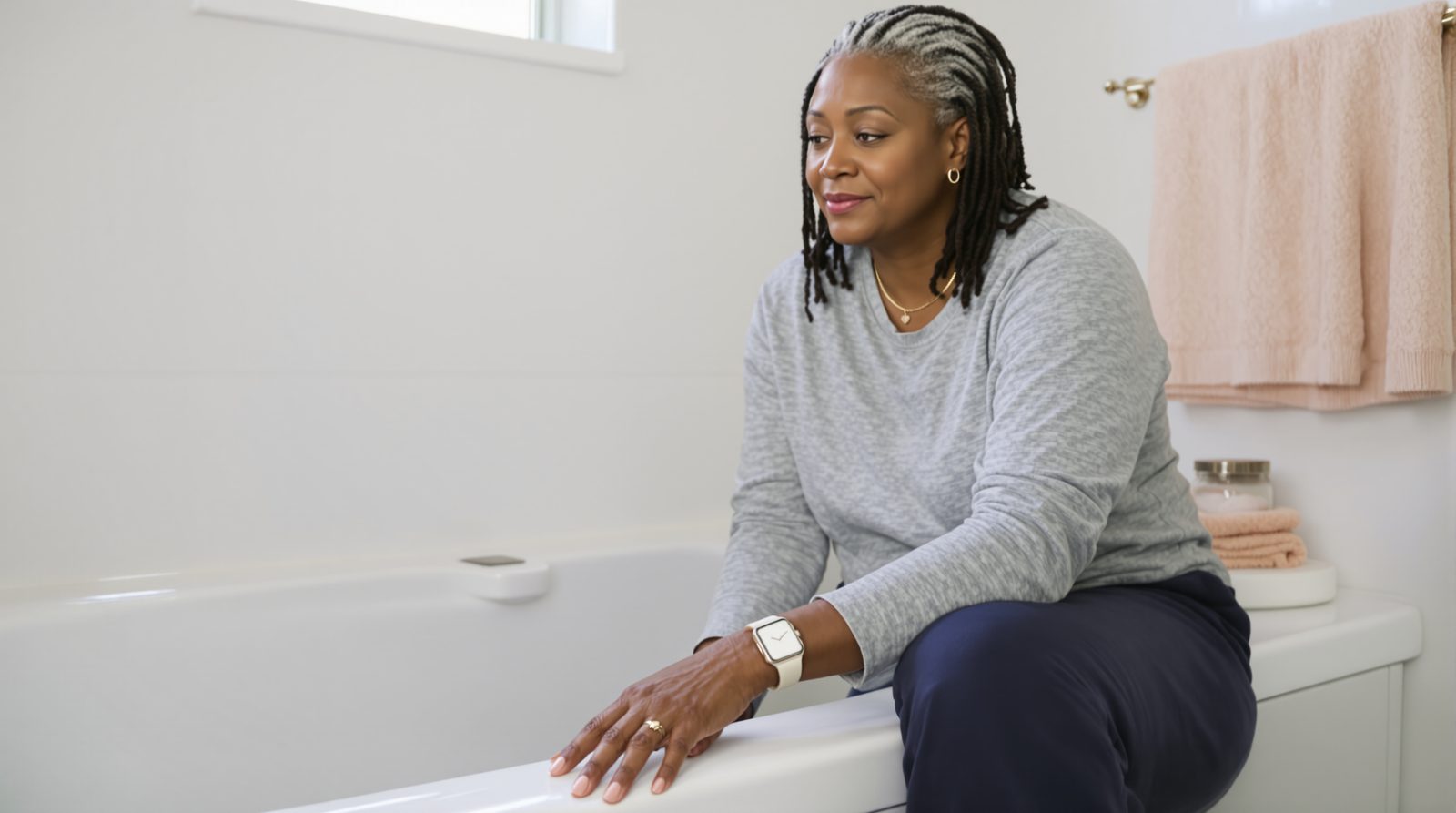
Mom fell in the bathroom at 6:13 AM on a Tuesday. Her Apple Watch tapped her wrist right away and asked if she was okay. She didn't answer. After about a minute and a half on the tile, the Watch called 911 and texted Erin her exact location.
Erin was 27 miles away making coffee. Her phone lit up with a notification that said HARD FALL DETECTED. She was in her car within four minutes. She arrived to find paramedics already in Mom's bathroom, and Mom sitting on the toilet seat embarrassed and bruised and otherwise fine.
The Watch had cost $249 at Costco eight months earlier. Erin had set it up while Mom rolled her eyes and said she didn't need it. The Watch did not care if Mom needed it. The Watch worked. Erin's hands shook on the steering wheel the whole way home that night and she did the math on what could have happened without it.
HARD FALL DETECTED.
The Watch called for her.
Fall detection devices fall into two camps: Apple Watch (Series 4 and later, one-time cost $249+, automatic fall detection built in) and subscription medical alert services like Life Alert ($50-$90/month, no automatic fall detection), Bay Alarm Medical (from about $28/month), and MobileHelp ($20-$45/month). Tiina, a voice-first AI companion for older adults, complements either by giving Mom someone to talk to between the falls, but doesn't replace a 911-connected device. CDC data: 1 in 4 adults over 65 falls each year.
If your mom is living alone and you haven't set up fall detection yet, it is not because you didn't worry. The CDC reports 1 in 4 Americans over 65 falls each year, and falls are the leading cause of injury death in that age group. The math is not subtle. Mom is going to fall at some point. The question is who finds her and when.
Your job is not to prevent every fall. That is not possible. Your job is to make sure the fall doesn't become a 12-hour-on-the-floor story before someone shows up.
She will fall. You can make sure someone comes.
Apple Watch vs Life Alert vs Bay Alarm: what each one actually does
Apple Watch Series 4 and later have automatic fall detection built in. When the Watch detects a hard fall, it taps the wrist, sounds an alarm, and shows a popup. If Mom stays still for about a minute without responding, it starts a 30-second countdown and then calls 911, and afterward sends a message with her location to her emergency contacts. Cost: $249-$499 new, around $150-$200 refurbished. No monthly fee for fall detection itself; cellular plan optional ($10/month on most carriers) so the Watch works without an iPhone nearby.
Life Alert is the brand most older adults recognize: "I've fallen and I can't get up." It is a pendant or wristband with a button Mom presses to summon help through a 24/7 monitoring center. Life Alert plans require a 3-year contract and run about $50-$90/month, plus a one-time setup fee that can reach about $200. Life Alert does not offer automatic fall detection on any plan, so Mom has to press the button herself. The base plan covers the home; mobile coverage costs more.
Bay Alarm Medical and MobileHelp are the better-priced competitors. Bay Alarm runs from about $28/month with no contract, automatic fall detection available on certain devices, and a free spouse pendant. MobileHelp runs $20-$45/month with similar features and a smartwatch option. Medical Guardian and Lively Mobile2 are also reputable subscription services in the $25-$45/month range.
Which one fits which Mom
Apple Watch works best for: Mom who already has an iPhone, who is tech-comfortable enough to charge the device nightly, and who will actually wear it every day. The Watch is also a phone, a heart-rate monitor, a notification screen, and a way for Erin to text her. The fall detection is one feature among many, but it's the feature that justifies the cost. The downside is Mom must remember to wear it and charge it. The Watch on the nightstand at 6 AM is useless when she falls at 6:13.
Medical alert services work best for: Mom who won't wear a Watch, who finds smartphones frustrating, or whose hearing/vision makes a screen-based device hard to use. Life Alert and Bay Alarm pendants are designed for one job. Press the button. Talk to a person. They are simpler. The trade-off is monthly fees forever (which over five years often exceed the cost of an Apple Watch), and the device only does one thing.
For homes where Mom is also using Tiina as a daily companion, the Apple Watch + iPhone + Tiina setup gives her conversation, fall protection, and an easy way to reach Erin, all on devices she already knows. Mom opens Tiina on her iPhone for company and wears her Apple Watch for falls. The Watch is the safety net. Tiina is the daily voice.
What changes after the first fall
After the first fall, the device pays for itself in Erin's nervous system. She stops checking on Mom four times a day. She stops calling at 9 AM to make sure Mom is upright. The Watch (or pendant) is a quiet promise that if something happens, someone will know within minutes, not hours.
Mom keeps her dignity through this. She still lives in her house. She still has her independence. The Watch on her wrist is not a leash; it is a friend. She uses it for the weather, for texting Erin, for the heart-rate alerts after her cardiac appointment in March. The fall detection is invisible until the day it isn't. The CDC's STEADI initiative takes the same practical view: screen for fall risk, then work on the risks that can change, like medicines, strength and balance, and hazards at home.
What also changes: the fall that does happen does not become a tragedy. Help is on the way in about a minute and a half instead of 12 hours. The hip fracture, if there is one, gets to the ER quickly. Recovery is faster. Research on older adults who fall shows that a long lie, an hour or more on the floor, drives many of the worst outcomes: pressure injuries, dehydration, kidney damage, and hospital stays that can trigger cognitive decline. Fall detection collapses the lie time.
Tiina talks with your parent between your visits (gentle, repeatable, always patient) so the quiet stretches of the day aren't so quiet.
What you can do this weekend
First: pick the device that fits Mom's actual habits. If she has an iPhone and is willing to wear a Watch, Apple Watch SE ($249) is the best price-to-feature in the category. If she won't wear a Watch, Bay Alarm Medical (from about $28/month, no contract) is the best value subscription. Avoid the high-pressure phone sales pitches some providers run.
Second: actually set up fall detection. On Apple Watch, this lives in the Watch app on the iPhone under Emergency SOS > Fall Detection. Turn it on for "always on" (not "only during workouts") for anyone over 55. Then add yourself as an emergency contact in Mom's Medical ID (in the Health app on her iPhone); that is the list the Watch texts after a fall.
Third: do the home walkthrough. The CDC's STEADI checklist covers the rest of fall prevention: throw rugs removed, grab bars in the bathroom, night lights in the hallway, stairs with good lighting. The device is the catch. The walkthrough is the prevention. Both matter.
What this sounds like with Tiina in the room
Wednesday morning, the day after the fall. Mom is sitting in her kitchen with a bruise on her hip. She opens Tiina. Hi there. Hi. I'm a little shaken up. I fell in the bathroom yesterday, and my Watch called 911. I'm sorry. How are you feeling today? Sore. Embarrassed. You don't need to be embarrassed. Falls happen, and the Watch did exactly what it was supposed to do. The paramedics were here in minutes, and Erin was right behind them. That's the whole point of the Watch. You weren't alone for very long. I'm going to keep wearing it. Good. Is there anything you want to talk about today? Or shall I read you the news? The news. Something cheerful if you can find any.
Mom is still in her own kitchen. The Watch called for her. Tiina is here for the rest.
Mom didn't have to push a button. The Watch worked. The paramedics came. The fall didn't become a tragedy. Tiina is the daily voice between the falls, the one that asks how the hip is healing this morning. Independence is a network, not a solo act.
Set Tiina up for Mom →Methodology & editorial policy
Reviewed and updated September 25, 2026 by the Tiina Editorial Team. Re-checked as new federal data, agency updates, or product changes warrant. Sources are linked below; numbers are not composite.
About composite scenarios. Scenes and sample conversations in this article are composite. Names and identifying details are changed; the moment is real.
About Tiina. Tiina is a voice-first AI companion for older adults: an app for iPhone and iPad that your parent opens whenever they want someone to talk to, day or night.
Sharing. Quote freely with a link back to this page. For full reprints, email hello@tiina.ai.
Sources. 3 references: primary sources for the numbers and claims above.View all
- CDC: Older Adult Falls Data. We used CDC's 1-in-4 fall statistic and STEADI fall prevention initiative throughout this post. cdc.gov/falls/data-research
- Apple: Fall Detection on Apple Watch. Apple's official documentation on Watch fall detection behavior, supported models, and configuration. support.apple.com/en-us/108896
- Consumer Reports: How to Choose a Medical Alert System. Comparison pricing and contract terms for Life Alert, Bay Alarm, Medical Guardian, MobileHelp, and Lively. consumerreports.org/health/medical-alert-systems
Frequently Asked Questions
The best fall detection device depends on tech comfort and budget. For tech-comfortable seniors, Apple Watch SE ($249 plus optional cellular at $10/month) offers automatic fall detection that calls 911 and texts family with GPS, plus heart-rate alerts. For non-tech users, Bay Alarm Medical SOS Mobile (about $35-$45/month) or Medical Guardian MGMini (about $50/month with fall detection) provide pendant-style devices with a 24/7 monitoring center, automatic fall detection, and GPS, no smartphone required. Life Alert (about $50 to $90/month with a 3-year contract) is the best-known name, but it has no automatic fall detection and usually costs more long-term. AARP's hands-on review of medical alert systems names Medical Guardian best overall and Bay Alarm Medical best value.
No, Original Medicare (Parts A and B) does not cover medical alert systems, fall detection devices, or Apple Watch. Some Medicare Advantage (Part C) plans offer a personal emergency response system (PERS) as a supplemental benefit, typically through specific vendors like Lively, Bay Alarm Medical, or Medical Guardian. Coverage varies by plan and usually has restrictions. Call your plan directly to ask what's covered and which vendors qualify. Medicaid in some states covers PERS for eligible enrollees through home and community-based services waivers. Long-term care insurance and some employer-sponsored retiree plans may also reimburse. Most families pay out of pocket; the math against one ER visit usually favors the device.
Apple Watch SE ($249 one-time, plus optional $10/month cellular for off-WiFi alerts) is the leading no-monthly-fee fall detection device. It automatically calls 911 and texts emergency contacts with GPS location after detecting a hard fall, no subscription required if paired with an iPhone via Bluetooth. Several Garmin watches with incident detection are another option with no monthly fee; they alert your emergency contacts through a paired phone rather than calling 911. Trade-offs: Apple Watch requires nightly charging, has a learning curve, and false positives can occur during vigorous activity. For seniors who can manage charging and basic apps, it's the most cost-effective long-term solution.
AARP doesn't endorse any one brand, but its 2026 hands-on review of medical alert systems named Medical Guardian best overall and Bay Alarm Medical best value, with LifeStation, LifeFone and IRIS Ally also on its list. Bay Alarm Medical's at-home system starts around $28/month with no contract. Medical Guardian has some of the highest starting monthly costs. Compare contract terms, equipment fees, and what fall detection adds to the monthly price (often $10/month extra).