Medical Alert Systems for Seniors: Pick One Your Parent Will Wear
The best medical alert is the one on your parent's wrist when they fall. How to choose it, what it costs, and three worth buying.
Some links below are affiliate links: if you buy through them, Tiina may earn a small commission at no extra cost to you. As an Amazon Associate I earn from qualifying purchases.
Choose by where your parent spends the day. Mostly home? An in-home system runs about $28 to $35 a month: a base that plugs into the wall and a help button that works around the house. Still driving or walking to the store? Get a mobile device with GPS for about $35 to $45. Fall detection adds about $10 a month and helps, but it misses some falls. Original Medicare doesn't pay. Avoid long contracts.
Three medical alert systems worth buying
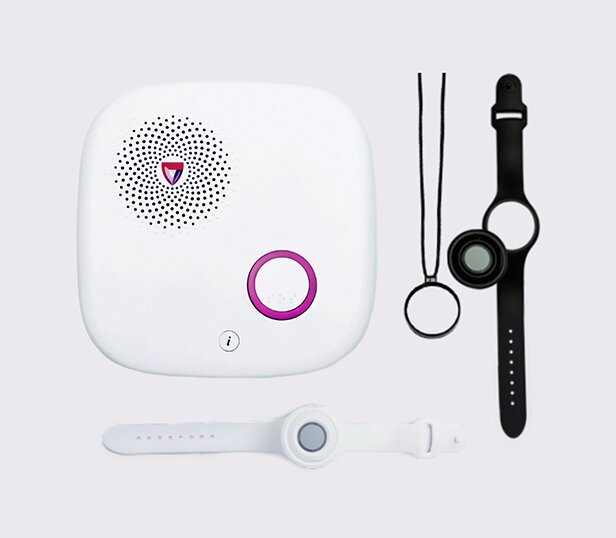
Medical Guardian MG Home
A base unit with a speaker and a big help button, plus a water-resistant button your parent wears on a necklace or wristband, even in the shower. The button works up to 1,400 feet from the base, and the base has a 32-hour backup battery for power outages. Medical Guardian charges no activation fee.
Watch for: Your parent talks to the operator only through the base, so it covers the house and yard, not errands. Monitoring is a separate monthly plan from Medical Guardian, on cellular or a landline, and fall detection costs extra.
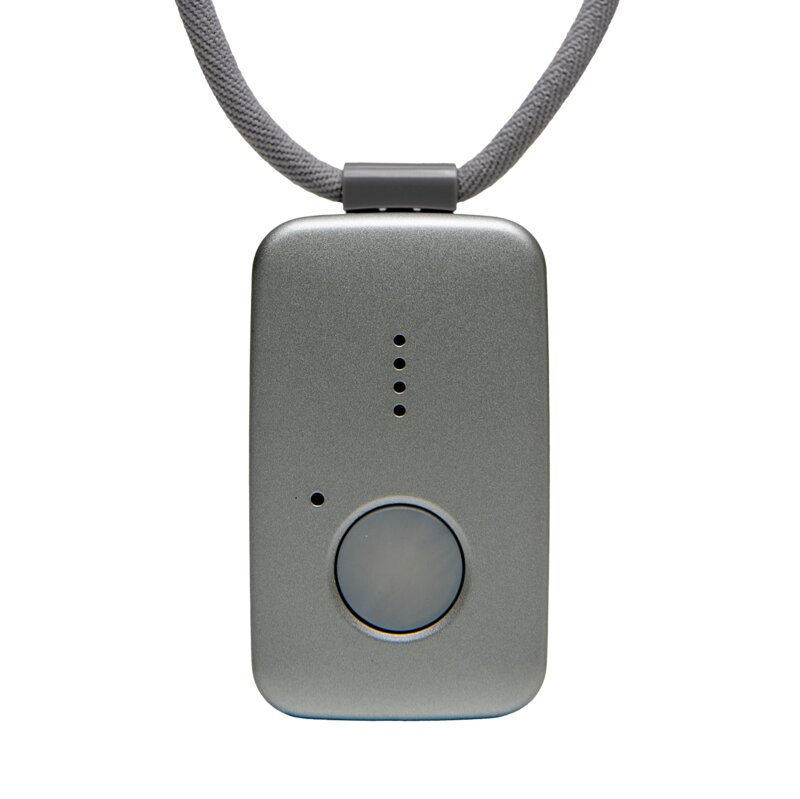
Medical Guardian MG Mini
A small mobile button, about 2 by 1.3 inches, with a two-way speaker, GPS and its own 4G LTE connection on both AT&T and Verizon, so it works at the store, on a walk or in the car. It can be worn on a lanyard or clipped to a belt, and it is water resistant, so it can stay on in the shower.
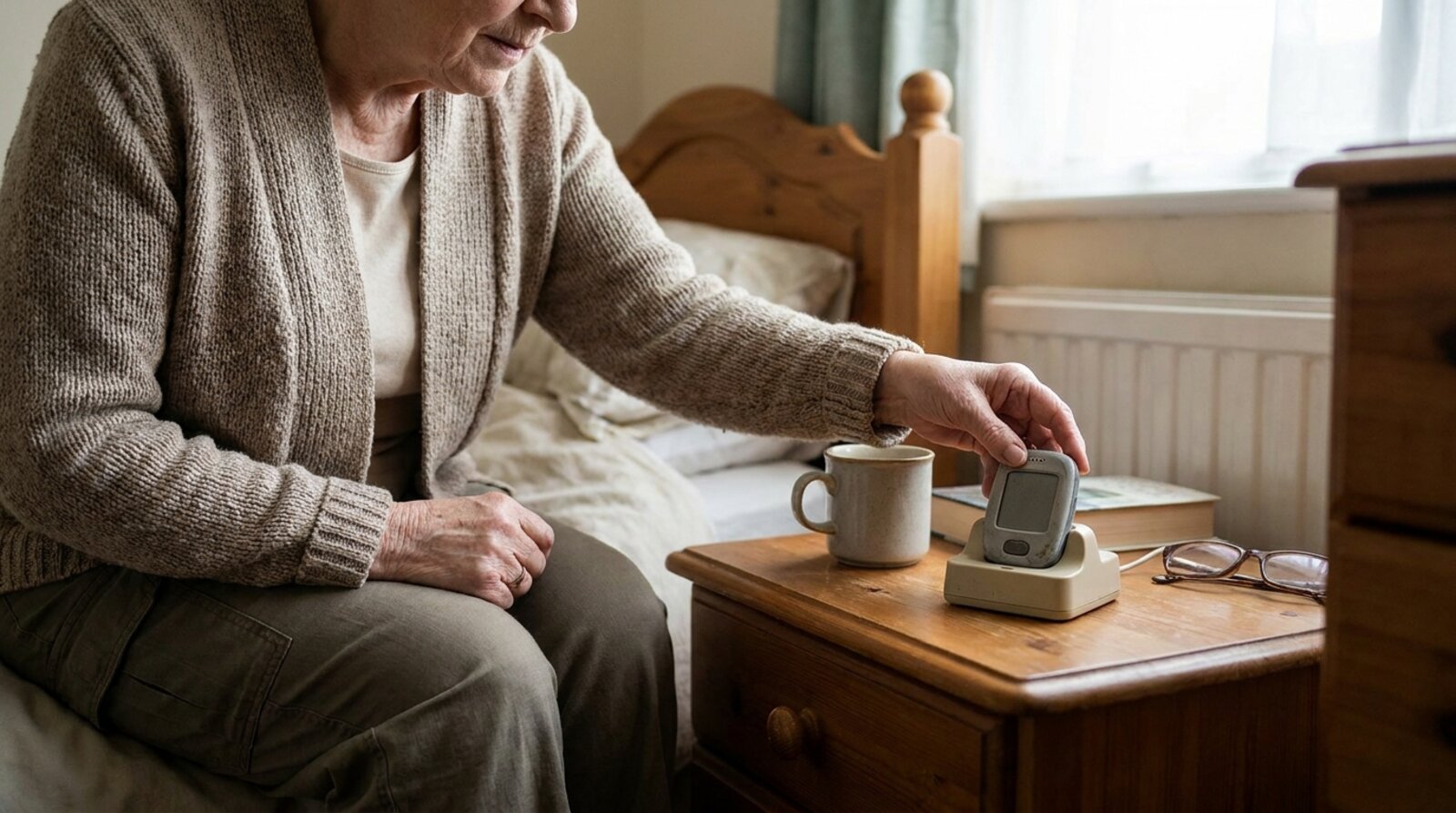
Watch for: The battery lasts up to 3 days, so give the charging cradle a permanent spot next to your parent's phone charger. Monitoring is a separate monthly plan from Medical Guardian, and fall detection costs extra.
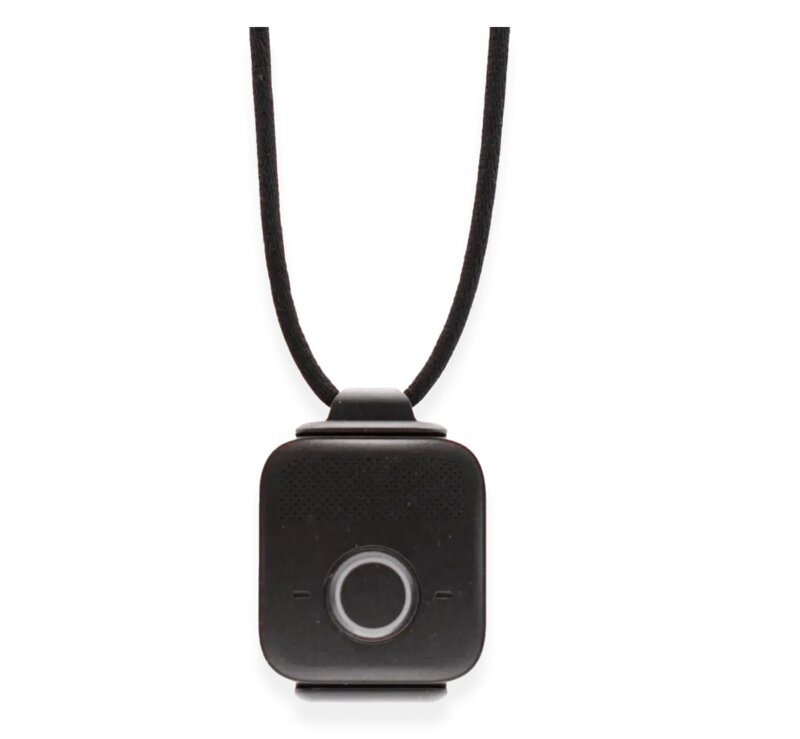
Bay Alarm Medical SOS Micro
At 0.7 ounces it weighs about half as much as the MG Mini, and it comes with a wrist strap, a lanyard and a belt clip, so your parent can wear it like a small watch, a pendant or out of sight on a belt. It has two-way talk, its own 4G LTE connection on AT&T or Verizon, Wi-Fi location tracking and an IP67 water-resistance rating for the shower.
Watch for: The battery lasts up to 36 hours, so it goes on the charger every night or two. Bay Alarm Medical doesn't recommend it in rural areas with weak cell or Wi-Fi signal. Monitoring is a separate monthly plan, and fall detection, which Bay Alarm says works best with the button worn on the lanyard, costs extra.
Your mom has had the pendant for a year. It lives in the kitchen drawer next to the batteries, because it looks like a hospital thing and it clunks against her coffee cup. Then one afternoon she slips in the hallway and spends a long time getting to the phone. This is how most medical alert systems fail. Not at the monitoring center. In the drawer. So the real question isn't which company answers fastest. It's which device your parent will wear every day, including in the shower, without a fight.
Does your parent need a medical alert system?
If your parent lives alone, or spends long stretches of the day alone, the answer is probably yes. More than one in four people 65 and older fall each year, and fewer than half tell their doctor, according to the CDC. A fall is frightening. Not being able to get up or reach the phone afterward is what turns it into an emergency.
These are the signs it's time:
- They've fallen in the past year, even once, even if they say they just sat down hard.
- They get dizzy when they stand up, or a new medication has made them unsteady.
- They have a heart or lung condition, diabetes, or anything else that can turn serious fast.
- Their cell phone lives on the kitchen counter, not in their pocket.
- They shower when nobody else is home.
In-home or mobile: decide this first
Every medical alert system does the same basic job. Your parent presses a button, a trained operator at a 24/7 monitoring center answers through a speaker, asks what's wrong, and sends an ambulance, a neighbor or you. The big difference is where it works.
In-home systems have a base unit that plugs into the wall and connects by landline or cell signal, plus a waterproof button worn on the wrist or around the neck. The button talks to the base, so it only works in and around the house. Bay Alarm Medical says its buttons reach up to 1,000 feet from the base and don't need charging. These are the cheapest and simplest systems.
Mobile systems put the speaker, GPS and a cellular connection inside the device, so they work at the grocery store, on a walk or in the car. The tradeoff is charging. Depending on the model, a mobile button lasts from a day and a half to a few days between charges; a medical alert smartwatch usually needs charging every night.
Here's the rule: if your parent leaves the house alone at all, even to get the mail or walk the dog, get a mobile system. Falls happen on front steps and in parking lots too.
Fall detection: worth adding, not worth trusting alone
Fall detection means the device can call for help by itself when it senses a fall and your parent doesn't press the button. It looks for a sudden drop followed by no movement. Most companies charge about $10 a month extra, according to the National Council on Aging.
It's worth it for a parent who lives alone, has fainted, or has fallen and couldn't get up. But it misses falls, and the companies say so. Bay Alarm Medical's fall detection page states plainly that no automatic fall detection is 100% accurate and that pressing the button should always come first. A slow slide off a chair or down a wall may not register at all.
So teach your parent that the button is the plan and fall detection is the backup. If they already wear an Apple Watch, it has fall detection built in. Here's how Apple Watch fall detection compares with Life Alert.

The pendant waits for the worst five minutes and does nothing else. The rest of the afternoon, your parent can tap Call Tiina and talk about whatever they like, in their own words, with someone patient who never rushes them.
What medical alert systems cost
Monitoring generally runs $20 to $60 a month, with an average around $40, according to the National Council on Aging's 2026 cost breakdown. On top of the monthly fee you may see:
- Equipment: $0 to $200, paid once or spread out monthly. Some companies give the device away as a promotion.
- Activation or setup: $25 to $100 one time, though many companies don't charge it.
- Fall detection: usually about $10 a month more.
- Protection plans: $1 to $10 a month to cover a lost or broken device.
- A full year, without fall detection: about $275 to $485 for an in-home system and $384 to $519 for a mobile one, by NCOA's estimate.
Who pays, and how to get a Life Alert quote
Original Medicare doesn't cover medical alert systems. Some Medicare Advantage plans include one as an extra benefit, so call the number on your parent's plan card and ask. Long-term care insurance often pays for part or all of a system, and you may be able to use HSA or FSA money. The National Council on Aging also notes that the Department of Veterans Affairs offers free or low-cost systems to eligible veterans, so a veteran parent should ask their VA care team first.
Life Alert doesn't publish prices on its website. You call 1-800-990-0595 for a quote. Before your parent signs, get three things in writing: the monthly price, how long the agreement lasts, and what it costs to cancel. Then compare that with the posted prices from companies like Bay Alarm Medical and Medical Guardian.
Questions to ask before you buy
Call two companies and ask both the same questions. Write the answers down, because the sales call moves fast.
- Is there a contract, and what does it cost to cancel? NCOA reports Bay Alarm Medical and Medical Guardian charge no cancellation penalty, while MobileHelp requires a 3-month minimum.
- How long is the trial? Bay Alarm Medical gives 15 days from the day the system arrives.
- Is the equipment leased? If it is, you'll ship it back when you cancel, and some companies charge a restocking fee.
- Can my parent wear it in the shower?
- How long does the battery last, and how will we know it's low?
- Which cell network does it use, and does that network have a signal inside my parent's house?
- Who gets called first: 911, a neighbor or me? Can we change that list anytime?
- Does the monthly price go up after the first year?
How to get your parent to actually wear it
Bring your parent into the choice. Let them pick the pendant, the watch or the belt clip, and the color. People wear what they chose and resent what was chosen for them.
Frame it as the thing that keeps them home, not the thing that says they're old. "This is how you stay in your own house without me calling every night" lands better than "I worry about you."
Set it up together. Ask the company how to run a test call, then do one the day it arrives so your parent hears how calm and friendly the operator is. Put the charger where their phone charges and make it part of the bedtime routine. If your parent pushes back on help in general, these ways to handle an elderly parent who refuses help work here too. And while you're thinking about falls, fix the trip hazards with these nine home fixes for fall prevention.
Mom wears the button every day, and has someone to talk to between visits.
The medical alert is for the day something goes wrong. For every ordinary Tuesday, she taps Call Tiina and finds someone patient who's glad to hear about the dog, the neighbors and her day, as many times as she wants to tell it.
Try Tiina with Mom →Frequently Asked Questions
Methodology & editorial policy
Reviewed and updated October 31, 2026 by the Tiina Editorial Team. Facts, programs and prices in this guide come from the sources listed below.
About composite scenarios. The opening scene is a composite drawn from common caregiver experiences, not one family's story.
About Tiina. Tiina is a voice-first AI companion for older adults: an app for iPhone and iPad that your parent opens whenever they want someone to talk to, day or night.
Sharing. Quote freely with a link back to this page. For full reprints, email hello@tiina.ai.
Sources. 12 references: National Council on Aging, CDC, Bay Alarm Medical, Medical Guardian, Life Alert, Apple Support.View all
- National Council on Aging. Medical Alert Systems: Costs and Considerations for 2026. ncoa.org
- CDC. Older Adult Falls Data. cdc.gov
- Bay Alarm Medical. Medical alert pricing and plans. bayalarmmedical.com
- Bay Alarm Medical. Bay Alarm Medical in-home medical alert system. bayalarmmedical.com
- Bay Alarm Medical. Automatic fall detection. bayalarmmedical.com
- Bay Alarm Medical. SOS Micro. amazon.com
- Medical Guardian. MG Home Cellular. amazon.com
- Medical Guardian. MG Home Landline. medicalguardian.com
- Medical Guardian. MG Mini. amazon.com
- Medical Guardian. Medical alert system pricing. medicalguardian.com
- Life Alert. How much does Life Alert cost. lifealert.com
- Apple Support. Use Fall Detection with Apple Watch. support.apple.com