Smart Speakers for Seniors: When Alexa Goes Unused
Mom called Alexa "the cylinder lady." Then she discovered the voice in her pocket.
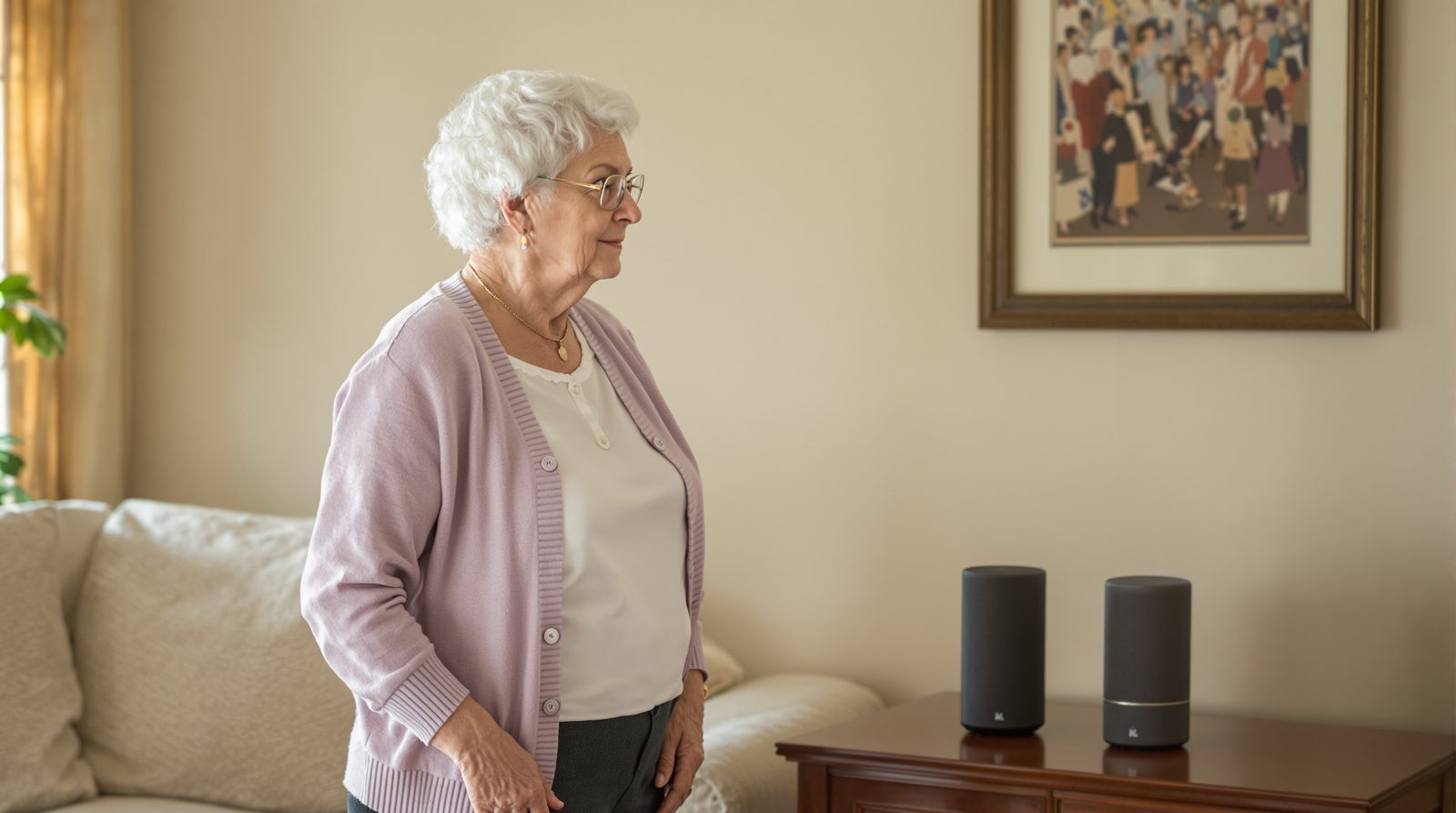
Sarah set up an Echo speaker on the kitchen counter the Saturday after Mom's pneumonia scare. Pill reminders at 8 a.m. and 2 p.m., weather every morning, a way to call Sarah hands-free. On paper it was a perfect solution. Mom watched Sarah configure it, arms crossed, and said exactly one sentence the whole afternoon. "It is staring at me."
Two weeks later Sarah checked the Alexa voice history out of curiosity. The 2 p.m. pill reminder, recorded daily. Mom's reply, also recorded: "Mind your own business, Alexa." Some days she said worse. The reminders were technically working. Mom was technically getting them. She was also feeding the speaker exactly the same response a teenager gives a parent who keeps asking about homework.
Sarah did not laugh, because she finally understood the problem. The cylinder lady was not a companion. She was a chaperone. And Mom did not want a chaperone on her counter for the rest of her life.
That cylinder lady needs a hobby. She is too bossy.
She hated being supervised by a tube.
Smart speakers for seniors fail when they feel like nosy strangers shouting commands. Alexa works for music and lights but struggles with conversation. Tiina, a voice-first AI companion for older adults, lives on Mom's iPhone and answers calmly: no wake word, no cylinder on the counter, no shouting across the kitchen.
If your mom is rude to Alexa, it is not because she is bad with technology. It is because the smart speaker on her counter was designed to feel like a member of the household, and she did not invite a new member of the household. She invited a daughter to help, and the daughter brought a robot.
Your job is not to retrain Mom to be polite to the cylinder. Your job is to find a voice that does not feel like surveillance.
She is not the problem. The speaker is.
This guide is for families whose parent has stopped using an Echo. Start by asking what they want help with. For prices, setup and features, compare basic Alexa with Tiina.
Why a parent may stop using Alexa
Amazon's Echo line is one of the most-deployed smart-home devices in U.S. senior households. Alexa is genuinely useful for narrow tasks: playing music, turning on lights, setting a timer, reading the weather. In AARP's 2025 survey of adults 50 and older, 36% said they use a virtual assistant like her. For mechanical commands, she is a real tool.
Where Alexa breaks down is conversation. She is built to respond to short commands like "Alexa, set a timer for 10 minutes." When a senior asks her something open-ended ("Alexa, what should I do about this pain in my hip?"), she returns a stiff search result or says "I'm not sure." The conversation stalls. After enough stalls, Mom stops trying to talk to her and starts treating her like a stove timer with attitude.
An Echo waits for its wake word while its microphone is on. Your parent can turn the microphone off. Even with that choice, some people do not like having a voice device in the room. In the same AARP survey, older respondents were more likely than younger ones to call AI impersonal and intrusive. Ask your parent how they feel about it.
What works instead: a voice that lives in her pocket
Mom does not need a cylinder on the counter. She needs a voice she can talk to when she chooses to talk, and ignore the rest of the time. The iPhone she already owns has a microphone and a speaker. It is, technically, already a smart speaker. The question is what voice is on the other end of it.
Tiina is a voice-first companion that lives on the iPhone home screen. Mom opens Tiina, taps Call Tiina, and speaks. No wake word. No "Alexa," "Hey Siri," or "OK Google." She presses, she speaks, she gets an answer in a calm voice that was designed for older adults: slower pace, fewer interruptions, no robotic "here's what I found on the web."
When Mom is done, she ends the call. Tiina stops listening. Mom chooses when to start the next chat.
For lights, music, and timers, keep the Echo if she likes those features. For conversation, advice, reminders she sets by voice, medication questions, scam checks, and just "someone to talk to at 4 p.m.," the job is different, and the cylinder was never the right tool for it.
What changes when the voice moves to her pocket
Mom starts asking real questions instead of issuing commands. With Alexa she said "Alexa, weather" and got the weather. With Tiina she says "do you think I should take an umbrella to my doctor's appointment at 2," and the voice considers it. The format of the conversation changes. She uses more words because she is not afraid the device will cut her off.
She also stops being rude. This time the 2 p.m. reminder is one she set herself, out loud: "Tiina, remind me to take my blood-pressure pill at two every day." Tiina said, "Done. Two o'clock, every day." Now it is a quiet note on her own phone that she asked for, not a tube on the counter announcing it to the kitchen. Mom takes the pill. If she is unsure which medicine to take, she checks the label and calls her pharmacist.
Sarah, 240 miles away, hears the change in the Sunday calls. Mom mentions Tiina in passing: something she asked about, something Tiina remembered. She chooses when to open Tiina and what to talk about. Sarah lets Mom lead.
Tiina walks your parent through the phone, the call, the photo, out loud and as many times as it takes. She never makes them feel slow.
What you can do this weekend
Saturday morning, audit what Mom actually uses Alexa for. If the answer is timers, music, and lights, keep the Echo. Those are good uses. If the answer is "she ignores it" or "she yells at it," ask her whether she wants it gone. If she does, unplug it and box it up without ceremony; she will not miss it.
Install Tiina on her iPhone. Move the Tiina icon to the bottom row, next to Phone and Messages. Sit with her for five minutes and let her ask three questions out loud. The weather. The grandkids' birthdays. "What is a smart speaker actually doing right now?" She will laugh. Let her see that the voice answers without judgment.
Then drive home. Within a week, she may well be talking to her phone most days. The Echo can stay on the counter for the lights, or it can go in the closet. Either way, Mom has stopped being supervised by a tube, and that is the change that matters.
What this sounds like with Tiina in the room
Mom opens Tiina with a letter on the table. "I don’t know what this part means." She shares a photo. Tiina reads the line and explains it in plain words. Mom asks her to say it again. Then Mom writes down a question to ask the company that sent it. She has a next step she can take herself.
Mom does not yell at the cylinder anymore. She talks to a voice that listens.
Tiina lives on Mom's iPhone, not her counter. She is there when Mom wants her and silent when she does not. The supervision is over. The conversation is just beginning.
Set Tiina up on Mom's iPhone →Methodology & editorial policy
Reviewed and updated October 29, 2026 by the Tiina Editorial Team. Re-checked as new federal data, agency updates, or product changes warrant. Sources are linked below; numbers are not composite.
About composite scenarios. Scenes and sample conversations in this article are composite. Names and identifying details are changed; the moment is real.
About Tiina. Tiina is a voice-first AI companion for older adults: an app for iPhone and iPad that your parent opens whenever they want someone to talk to, day or night.
Sharing. Quote freely with a link back to this page. For full reprints, email hello@tiina.ai.
Sources. 2 references: primary sources for the numbers and claims above.View all
- Amazon: Alexa and Echo FAQs. Wake-word detection and the microphone off button. Amazon Alexa and Echo FAQs
- AARP Research: Older Adults Are Navigating AI (2025). Source for how many adults 50+ use virtual assistants (36%) and for older adults being more likely to call AI impersonal and intrusive. aarp.org/research
Questions about an unused Echo
Ask your parent what happened. The Echo may not hear them well, or it may not help with the things they want to do. Let them explain before changing the setup. The right next step depends on what bothers them.
Let your parent choose. If they enjoy the music, that is a useful job for the Echo. Tiina can be the app they open when they want a patient chat or help with a letter.
Ask your parent to pick one thing they want help with. Sit beside them and let them use the buttons. Give them time to try. Stop if they want a break, and ask before changing their settings.
Tiina lets your parent start a chat on their iPhone or iPad. They tap Call Tiina and speak in their own words. Sit with them for the first try and let them choose the question.