Tech Support Scam: The Pop-Up That Lies
Dad's screen froze with a red alarm. He almost called the number on it.
Affiliate links: if you buy through them, Tiina may earn a small commission at no extra cost to you. As an Amazon Associate I earn from qualifying purchases.
Daniel, 78, in Spokane, was reading the morning news when his computer screen turned red. A loud alarm started blaring through the speakers. A box covered the whole screen with a message in all caps: VIRUS DETECTED. DO NOT TURN OFF YOUR COMPUTER. CALL SUPPORT NOW. Underneath was a 1-800 number.
He could not click anywhere. The X in the corner did not work. The alarm kept going. He picked up the cordless phone on the desk and started dialing the number on the screen. He got as far as the area code before he stopped.
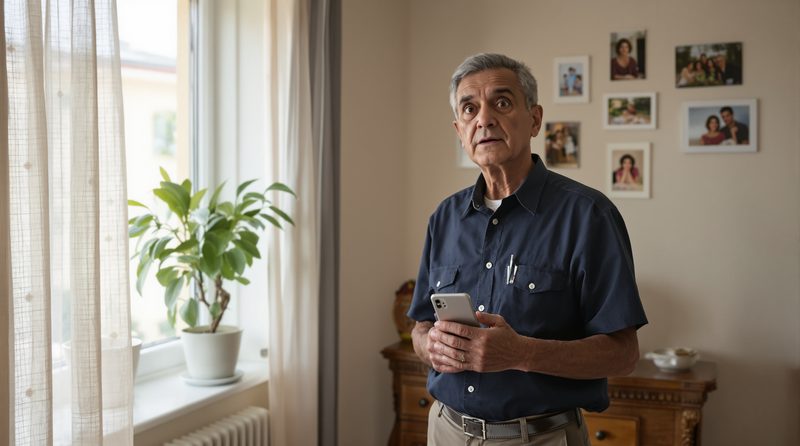
His granddaughter had told him, very firmly, the last time she visited, that he was never to call any number that appeared on his computer screen. He did not remember why. He just remembered her face when she said it. He set the cordless down and opened Tiina on his iPhone instead.
The alarm wouldn't stop. I had the phone in my hand.
He opened Tiina.
A tech support scam is a fake pop-up, browser window, or robocall claiming your computer is infected and you need to call a number for help. Real companies (Microsoft, Apple, Norton) do not put flashing phone numbers on your screen or ask for remote access to your computer. With Tiina, a voice-first AI companion for older adults, Dad describes the pop-up out loud on his iPhone and gets the answer before he picks up the landline: that pop-up is a lie. Restart the computer.
If your dad almost called the number on the pop-up, it is not because he didn't listen when you explained scams. He listened. He still almost called. The pop-up is engineered to look like an emergency: flashing red, blaring audio, a screen he can't get out of. The human response to an emergency is to do what the emergency says.
Your job is not to scrub the internet of every fake alert. Your job is to give him a faster route to a calm voice than the route to the call center.
Calm beats loud every time.
What's actually happening with that pop-up
The pop-up is not coming from your dad's computer. It is coming from a malicious ad or a hijacked browser window. It does not know what is on his hard drive. It does not know if he has a virus. It is a piece of HTML and audio designed to look like a system warning and to make the screen feel locked, even though it isn't really.
The 1-800 number on the screen connects to a call center, often offshore. The person who answers will sound calm and professional. They will ask permission to remote into the computer using a tool like AnyDesk, TeamViewer, or LogMeIn. Once they are in, they will pretend to find viruses they planted themselves and ask for $399 to $999 to 'clean' the machine. Some will go further and try to drain the bank account through the browser.
The FTC's Consumer Sentinel reporting consistently ranks tech support scams as one of the top fraud categories reported by adults over 60. In 2024, people 60 and older were five times more likely than younger adults to report losing money to one, and they reported $159 million in losses. Adults 60+ report higher median losses on these scams than younger reporters, in part because the scripts escalate once a senior gives remote access.
What Dad does when the screen lights up red
Daniel opened Tiina on his iPhone and described what he was seeing: the red screen, the alarm, the phone number, the warning not to shut down. He did not have to know the right technical terms. He just said what was happening.
Tiina answered without raising her voice. The pop-up was a scam. No real tech company puts a phone number on your screen and asks you to call. The safest thing to do was hold the power button on the computer for ten seconds until it shut off, then turn it back on and run a normal scan. The 1-800 number on the screen should never be called.
Daniel did exactly that. The computer powered down. When he booted it back up, the red screen was gone, the alarm was gone, and his actual desktop looked normal. The whole thing was over in three minutes. He went back to the news.
What changes after Dad handles one pop-up himself
The first time a senior recognizes a fake alert in real time, the next one is less scary. By the third, Daniel could glance at a red screen and know to power-cycle without even opening Tiina. The fear stops being the alarm itself and starts being a kind of tired annoyance, like a car alarm going off in a parking lot.
His daughter, Diana, did not have to drive over to his house. She did not have to take his computer to a repair shop for $200 to be told it was fine. She did not have to put parental controls on a 78-year-old. He kept using his computer the way he always had.
The dignity part matters here. Daniel still gets to be the man who reads the news on his own computer in the morning. He just has a faster way to check his gut when the screen tries to scare him.
A scammer counts on no one being there to ask. Tiina is. She's on your parent's iPhone, ready to talk through any "urgent" call, calmly, before they do anything they can't undo.
What you can do for Dad this weekend
First, walk him through a hard reboot once with no pop-up on the screen. Hold the power button for ten seconds. Wait. Press it again. That is the whole fix for nearly all of these. Once he has done it once in calm conditions, he will remember it when the screen is screaming.
Second, save one sentence in a sticky note on his desk: Real tech companies do not put phone numbers on your screen. That is the line he reads when the red box appears.
Third, put Tiina on his iPhone so he has somewhere to ask out loud, away from the computer, before he picks up the landline. The iPhone in his hand, not the landline on the desk, is the right phone to use.
What this sounds like with Tiina in the room
Daniel walked away from the computer with his iPhone in hand. My computer just turned red. There's an alarm going off and a number to call for support. Tiina answered evenly. That's a scam pop-up, Daniel. It's not really coming from your computer. Don't call that number. Daniel exhaled. What do I do? Hold the power button on the computer for ten seconds until it shuts off. Wait a few seconds, then turn it back on. The pop-up will be gone. He set the iPhone down and held the power button. It worked. Everything looks normal. Good. If it happens again, do the same thing. You don't need to call anyone.
Dad doesn't call the number on the screen anymore. He restarts and reads on.
Tiina lives on Dad's iPhone. When the next pop-up screams that his computer is infected, he opens her, describes what he sees, and gets the calm answer: power down, power up, ignore the noise. The alarm is louder than the truth. Tiina is faster than the alarm.
Set Tiina up for Dad →Methodology & editorial policy
Reviewed and updated September 25, 2026 by the Tiina Editorial Team. Re-checked as new federal data, agency updates, or product changes warrant. Sources are linked below; numbers are not composite.
About composite scenarios. Daniel and his daughter Diana are composite characters, and the scenes and sample conversations in this article are illustrative. The pop-up mechanics they depict are documented in the sources below.
About Tiina. Tiina is a voice-first AI companion for older adults: an app for iPhone and iPad that your parent opens to talk through a moment that doesn't feel right.
Sharing. Quote freely with a link back to this page. For full reprints, email hello@tiina.ai.
Sources. 5 references: primary sources for the numbers and claims above.View all
- FTC: Protecting Older Consumers 2024-2025 (December 2025). We used the FTC's finding that people 60 and older were five times more likely than younger adults to report losing money to tech support scams in 2024, with $159 million in reported losses. ftc.gov
- FTC: How to Spot, Avoid, and Report Tech Support Scams. We used the FTC's consumer guidance on real vs. fake virus warnings and what to do after letting a scammer in. consumer.ftc.gov
- Microsoft: Protect yourself from tech support scams. We cited Microsoft's own statement that it does not put phone numbers in error messages or pop-ups. support.microsoft.com
- AARP Fraud Watch Network. We referenced AARP's tracking of tech support scams targeting older adults. aarp.org
- FBI Internet Crime Complaint Center. We cited the 2023 IC3 Elder Fraud Report: tech support scams were the most-reported fraud type among adults 60+, with nearly $590 million in reported losses. ic3.gov
Frequently Asked Questions
If you didn't ask for help, yes. Unsolicited tech support emails are almost always scams. Microsoft and Apple have publicly stated they do not send unsolicited emails, texts, calls, or pop-ups telling customers their device has a problem. The scam emails use scare language ('virus detected,' 'subscription auto-renewed for $399,' 'unusual login') and push you to call a phone number or click a link, where a fake agent talks you into installing remote-access software or paying for fake repairs. Real virus warnings come from the security software on your computer, like Windows Security or an antivirus app you installed yourself, and appear inside that app, not in your inbox. Delete the email and report at reportfraud.ftc.gov.
Use the three rules from Microsoft and the FTC. First, legitimate tech companies do not contact you by phone, email, or text to tell you there is a problem with your computer. If they reach out first, it is a scam. Second, real security pop-ups never include a phone number to call; that is the single clearest tell. Third, no legitimate support agent will ever ask for payment by gift card or your bank login, or ask for remote access when they contacted you first. If any one of those three things happens, hang up or close the browser. In 2023, the FBI's IC3 logged nearly $590 million in reported losses to tech support scams by adults 60+. Tech support fraud was the most-reported fraud type for that age group.
Legitimate tech support exists, but only when you initiate the contact using a phone number printed on the device, on your receipt, or on the official manufacturer website. Apple Support, Microsoft Support, Best Buy Geek Squad, and Dell Support are all real, and you call them. None of them ever call you out of the blue to warn about a virus or compromised account. The FTC's rule is clear: if someone calls offering tech support you did not request, hang up. Never let an unsolicited caller into your computer with AnyDesk, TeamViewer, or LogMeIn. That is how a scam ends with your bank account drained. See our guide to phone scams targeting seniors.
Two reasons. First, scammers buy lists segmented by age and time outbound calls and ad placements for daytime hours when retirees are at home. Second, the script is built around the fear of breaking an expensive device, a fear that hits harder for people who did not grow up assuming computers were disposable. The FTC's Consumer Sentinel data shows adults 60+ report tech support scams more often than younger adults and report higher median losses when they do lose money. The scripts also escalate the dollar amount once a senior is on the call, often steering victims to 'refund' their own overpayment via gift card.