By the Tiina team · Updated

Tiina comparison guide

Jubilee TV alternative: Tiina for everyday questions

Choose Tiina when your parent wants to ask for help themselves, at home or while out.

See the comparison
An older man reads an iPhone. He sits in a chair on a porch. From our Jubilee TV alternative guide.
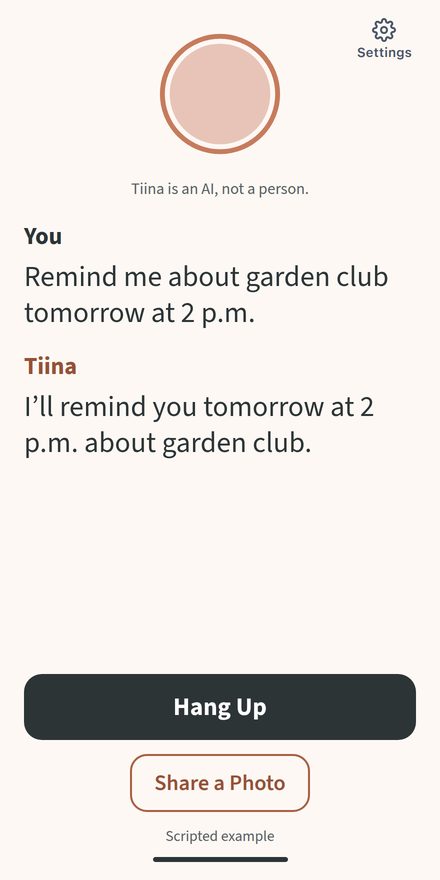
Scripted Tiina iPhone conversation: Remind me about garden club tomorrow at 2 p.m. Tiina replies: I’ll remind you tomorrow at 2 p.m. about garden club. From our Jubilee TV alternative guide.

At a glance

What is JubileeTV?

JubileeTV adds a box to your parent’s TV. You use an app to help them use the TV from far away. They can also see video calls and reminders.

Why Tiina is simpler for reminders and daily help

JubileeTV puts reminders on your parent’s TV. A family member sets them in the JubileeTV app. With Tiina, your parent can ask for a reminder themselves. It appears on their phone when alerts are on. You do not have to enter it for them.

Tiina also goes with their iPhone. Your parent can ask a question from the kitchen or while visiting family, without using a TV box. If they want help they can start and use on their own, Tiina is the simpler choice.

Tiina vs JubileeTV: help beyond the TV

Tiina vs JubileeTV: where Tiina helps more. Prices checked October 28, 2026.
Tiina Compared JubileeTV
Your parent can take Tiina wherever their phone has internet. Tiina is stronger here.Help away from the TVJubileeTV works through a box connected to their TV.
Your parent asks Tiina to set a reminder. Tiina is stronger here.Setting a reminderA family member sends the reminder through the JubileeTV app.
Tiina works on your parent’s own iPhone or iPad. Tiina is stronger here.Extra gearJubileeTV needs its box, an HDMI TV and a cable box or streaming player.
Your parent keeps their phone, with no device to return. Tiina is stronger here.When cancelling a rentalYou must return a rented box within 30 days of cancelling.

The return terms apply to boxes rented from JubileeTV’s website.

JubileeTV pricing: monthly, yearly and All-In plans

12 paid months
  1. Tiina on their own device12 Ă— $9.99; device already owned

    $119.88

  2. JubileeTV yearlyUp front

    $389

  3. JubileeTV monthly12 Ă— $39

    $468

JubileeTV’s plans include the box and remote. All-In costs $789 paid once (October 28, 2026). The chart compares the monthly and yearly plans.

The total includes 12 paid months, or the listed yearly plan, plus any device cost. Free trials do not reduce these totals. Totals do not include tax or any shipping charge.

Daily help that is not tied to the TV

Example conversations. Scripted, not real calls.

Set their own reminder in a few words

Tiina lets your parent say what they want to remember. They choose the time, and the alert appears on their phone. There is no need to ask you to enter it in a family app.

You
Remind me to take the trash out tonight at seven.
Tiina
I’ll remind you at 7 p.m. tonight to take the trash out.

Ask for help from another room

Tiina is on your parent’s iPhone, so they can bring the question to her. A note on the kitchen table does not need to become a family video call.

Photo sharedBook club: Wednesday, 2 p.m. Bring the book you are reading.

You
What should I bring to book club?
Tiina
Bring the book you are reading now. The meeting is Wednesday at 2 p.m.

Questions about JubileeTV

Does JubileeTV work with Roku?

Yes. Connect a separate Roku player to JubileeTV by HDMI. Apps built into a Roku TV are not enough on their own. You need a separate cable box or streaming player.

How much is a JubileeTV subscription?

JubileeTV lists $39 a month, $389 a year or $789 once for All-In (October 28, 2026). Each plan includes the box, remote and family app. You still pay for cable or streaming. Tiina costs $9.99 a month on an iPhone or iPad you own.

Can several family members use the JubileeTV app?

Yes. Family members can use an iPhone, Android phone or web browser. There is no fee for each added person. The person who set up the account can choose what each family member can use.

Does the TV need to stay on for JubileeTV?

No. JubileeTV can turn the TV on for calls, reminders and check-ins. The JubileeTV box still needs power and an internet connection.

Can JubileeTV be used outside the US?

The person with the JubileeTV box must live in the US. Family can use the app from other countries. Tiina works for users in the US and Canada.

What happens when I cancel JubileeTV?

If you rent the box from JubileeTV’s website, return it within 30 days of cancelling. A missing or broken box can mean a $199 fee. Website orders have a 60-day refund window, not a free trial (October 28, 2026). If you bought the box from a store, other terms apply.

Everyday help on iPhone and iPad

Try Tiina with a real question.

Try Tiina free for 7 days with a card, then pay $9.99 a month. Cancel at least a day before the trial ends to avoid a charge.

Tiina works on iPhone and iPad with iOS 15.1 or later. Your parent needs internet and a mobile number that gets texts. The app is in English, for the US and Canada.

Try Tiina free
An older woman sits in a chair. She laughs as she tells a story. From our Jubilee TV alternative guide.

Sources

Written by the Tiina team. JubileeTV FAQ answers checked October 28, 2026. The price chart uses the October 28, 2026 check. Tiina features checked October 28, 2026. Product description checked October 28, 2026.

See all 9 sources

JubileeTV is a brand of Caavo Inc. Tiina is not affiliated with JubileeTV or Caavo Inc.

All Tiina comparisons